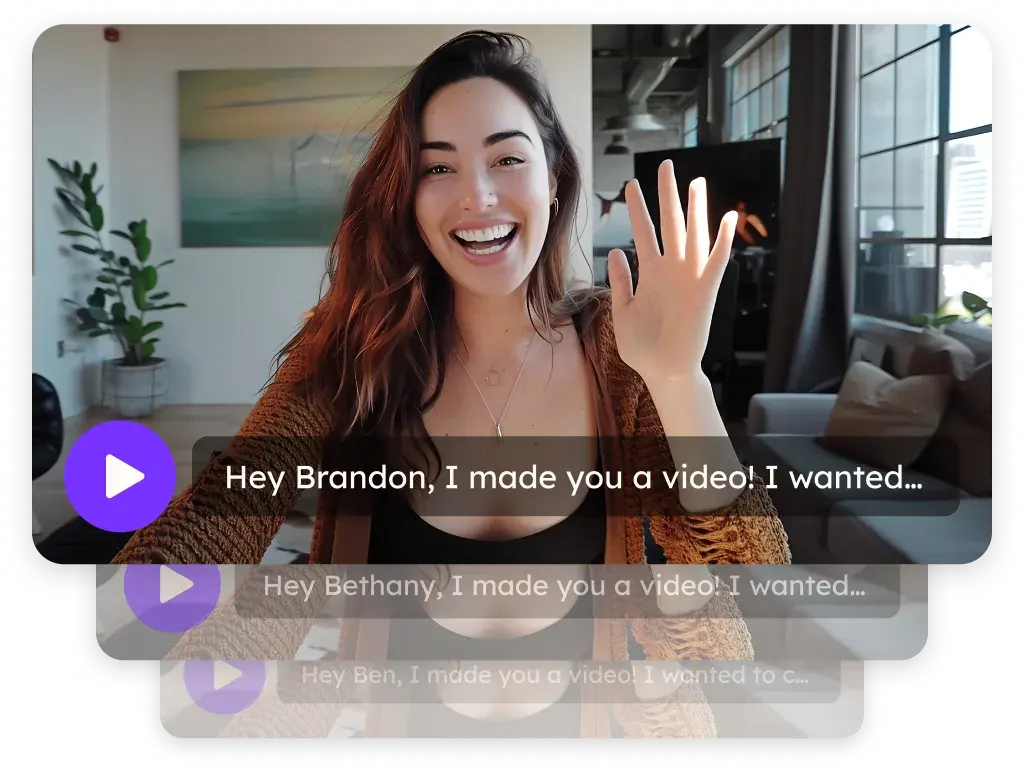
Sendspark HighLevel (LeadConnector) integration for personalized video
Sendspark connects to HighLevel (GoHighLevel, also called LeadConnector) through Agentic Workflows: a HighLevel trigger generates a personalized video for each contact, and Sendspark writes the video link and email snippet back to custom contact fields for your email, SMS and WhatsApp steps. You can also paste LeadConnector snippets into emails and embed a HighLevel calendar under your video. Sendspark is an AI personalized video platform for B2B sales and marketing teams.
 SOC 2 Type II
- Read reviews on G2


Sendspark and HighLevel at a glance
- Integration type
- Agentic Workflows connection, share snippet and calendar embed
- How data moves
- Contact fields come in from HighLevel through a Custom Webhook or the LeadConnector Contact Tag Update trigger. Sendspark writes the Sendspark Video Link and Sendspark Email Embed Snippet back to the contact with HighLevel: Update a Contact. Views aren't written back; they're tracked in Sendspark.
- Plan
- Agentic Workflows: Growth and above
- What you need
- A HighLevel account connected in Sendspark Agentic Workflows, two custom contact fields in HighLevel, and a Dynamic Video campaign
- Setup guides
- On HighLevel's side
- Sendspark on Zapier (with HighLevel LeadConnector)
Your HighLevel automations send the same message to every lead
Automations reach every lead on time, but each one gets the same templated email or text, so they read like the bulk sends they are. Recording a personal video for each new lead can't keep pace with an automation, so the personal touch disappears exactly when volume grows.
How to use Sendspark with HighLevel
- 1
Start an Agentic Workflow with a HighLevel trigger
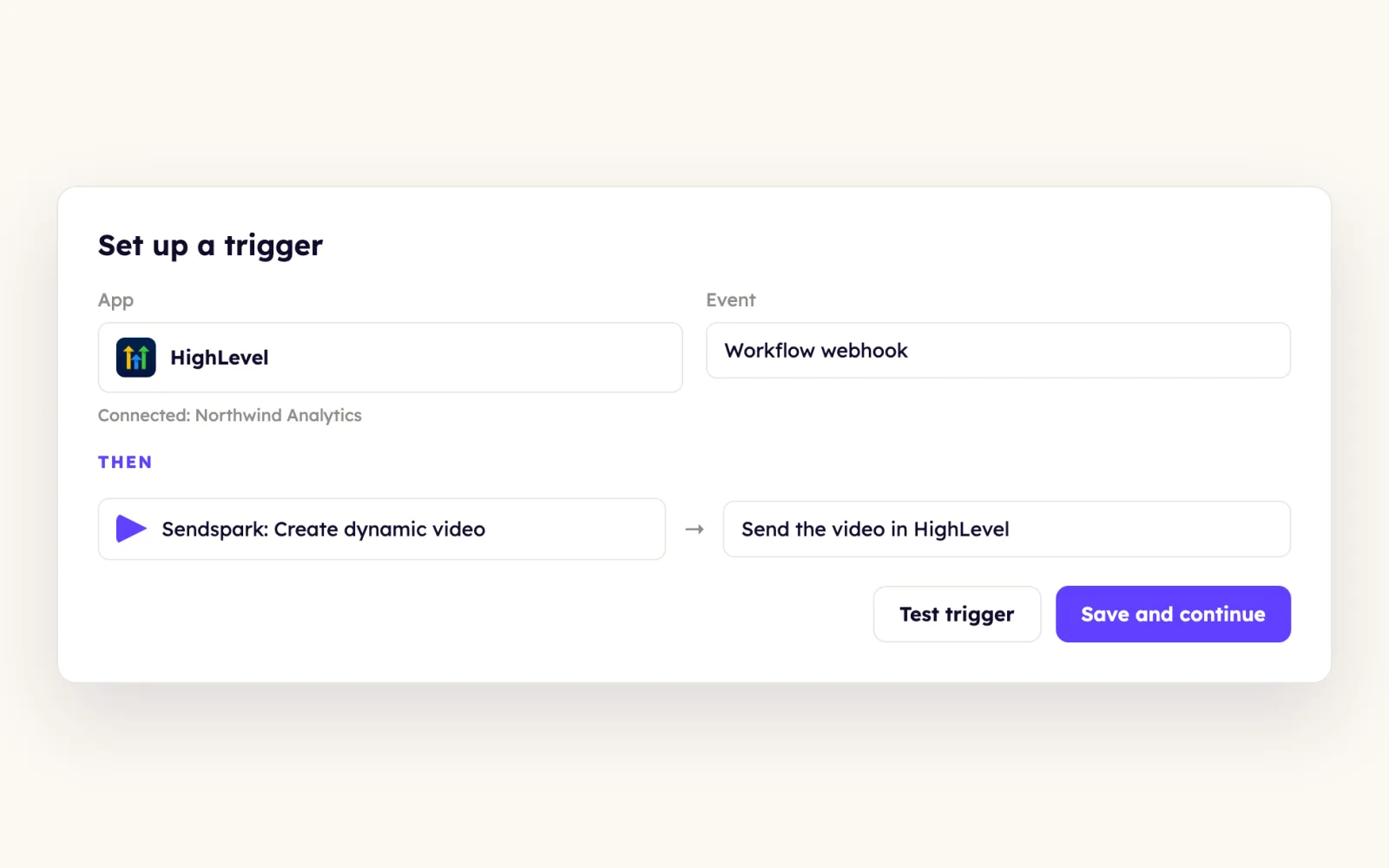
In Sendspark, create a new Agentic Workflow, choose HighLevel as the trigger app and connect your HighLevel account. A webhook URL appears.
- 2
Add a Custom Webhook in your HighLevel workflow
At the point where the video should be made, add a Custom Webhook (not the other Webhook action) and paste the URL. Send the fields your video uses: email, first name, job title, company name and Background URL, then click Wait for Webhook and run a test contact.
- 3
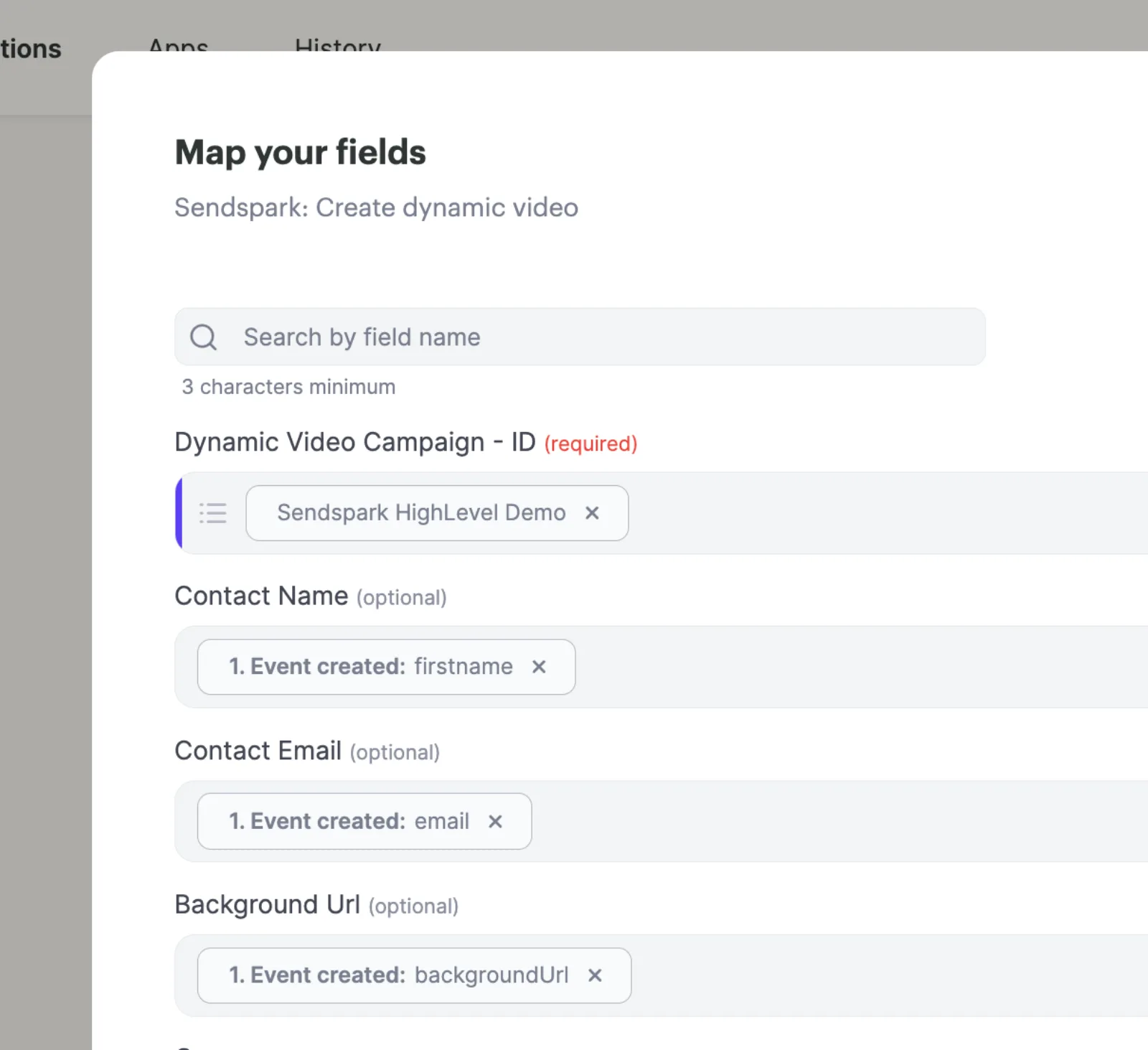
Add Sendspark: Create Dynamic Video
Pick the Dynamic Video campaign to use and match each HighLevel field to its Sendspark field.
- 4
Write the video back to the contact
Create two HighLevel custom contact fields, Sendspark Video Link and Sendspark Email Embed Snippet. Add HighLevel: Update a Contact, map the Contact ID from the first step and the two fields; click update if they don't show.
- 5
Test, start and send
Click Test, then Start. In HighLevel, add email, SMS or WhatsApp steps that use the two fields as placeholders, with a time delay before them so the video has time to generate.
What teams do with Sendspark and HighLevel
Tag a contact in HighLevel and their video starts generating
Skip webhooks with the LeadConnector Contact Tag Update trigger. Open its filter, choose Tags, set the condition to = Equals and type the exact GHL tag; every contact who gets that tag kicks off a Create dynamic video step.
Read the guideTag contacts the moment their video is ready
Trigger on Sendspark: New Video Generated - Specific Campaign, search the contact by email or phone, update and tag them, and add a Tool: Break. The step's Error handler sends contacts who weren't found to a Create Contact step, so no one is duplicated.
Read the guideText every new contact a personalized video
Generate the video when a contact enters a GHL workflow, then send the Sendspark Video Link in an SMS step.
Read the guideLet viewers book from the video page
In HighLevel, open your calendar's Share menu and copy the Permanent link, not the embed code. In Sendspark, toggle Calendar on, choose HighLevel as the provider and paste it; attach a HighLevel form under Forms and payment to collect extra details.
Read the guideWhat HighLevel data personalizes each video
- From HighLevel, Sendspark accepts contact email, first name, job title, company name and a Background URL; add lines to the webhook to send more fields.
- Use the LeadConnector snippet in an email step inside an automation, and the LeadConnector Marketing snippet in a code block in the drag-and-drop builder; pasted into a text element it looks fine but won't work when sent.
- Sendspark Video Link goes in SMS and WhatsApp messages; Sendspark Email Embed Snippet goes in emails.
- AI voice cloning (Solo and above) says each contact's name, and the contact's website can scroll behind you as a dynamic background.
Where you see who watched from HighLevel
Sendspark's video analytics show who viewed, how much they watched, CTA clicks and likes. The video link and snippet are written to HighLevel contact fields, but views aren't.
Explore Video AnalyticsSendspark and HighLevel: frequently asked questions
Does Sendspark integrate with HighLevel?
Yes. HighLevel (LeadConnector) is an app connection in Sendspark Agentic Workflows (Growth and above): HighLevel triggers generate personalized videos, and Sendspark writes the video link and email snippet back to the contact.
Why isn't my HighLevel webhook sending data to Sendspark?
Make sure you used the Custom Webhook action, not the other Webhook action; HighLevel has two and only Custom Webhook works here. If fields are missing in Sendspark, click Update to refresh them.
Should I use the LeadConnector or LeadConnector Marketing snippet?
LeadConnector for an email step inside an automation, pasted into the body. LeadConnector Marketing for emails built with the drag-and-drop HTML tools, pasted into a code block.
Can I trigger a video without setting up webhooks?
Yes. Use the LeadConnector Contact Tag Update trigger in Agentic Workflows with a filter for your tag, and tagging a contact starts the video.
Can I embed a HighLevel calendar under my video?
Yes. Paste the calendar's Permanent link from HighLevel's Share menu into Sendspark with the provider set to HighLevel.
Updated



Make your next outreach personal.
Record one video and let Sendspark do the rest.