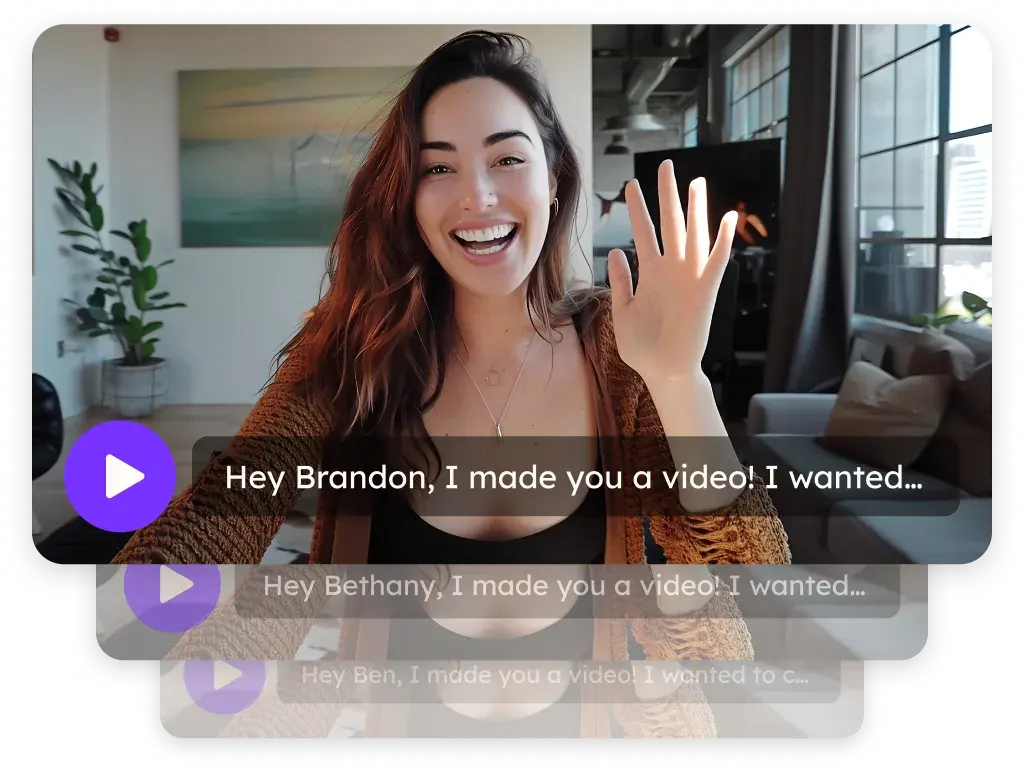
Sendspark Salesloft integration for personalized video in cadences
Paste your Sendspark video into Salesloft email templates and every contact in the cadence sees a video personalized with their own details, and embed your Salesloft calendar on the video page so they can book right after watching. It's for reps and SDR teams who run their outreach through Salesloft cadences. Sendspark is an AI personalized video platform: you record one video and it creates a personalized version for every prospect.
 SOC 2 Type II
- Read reviews on G2


Sendspark and Salesloft at a glance
- Integration type
- Share snippet and calendar embed
- How data moves
- You paste the Sendspark snippet into a Salesloft email template; the video fills in per contact when the email sends. Views and clicks are tracked in Sendspark.
- What you need
- A Sendspark video or dynamic video campaign and a Salesloft account with email templates. Voice cloning needs Solo or above.
- Setup guides
- On Salesloft's side
- About Salesloft
The cadence email that's supposed to be personal looks like a template
A first-name token in the subject line doesn't make a cadence step feel personal, and re-recording a video for each contact isn't something a rep can keep up with. So the personal steps get skipped and the cadence runs on generic copy.
How to use Sendspark with Salesloft
- 1
Add dynamic variables to the page and thumbnail
Record or upload your video, then add dynamic variables to the video landing page and to the thumbnail, which is what shows in the Salesloft email. They're replaced with each contact's properties when the email sends.
- 2
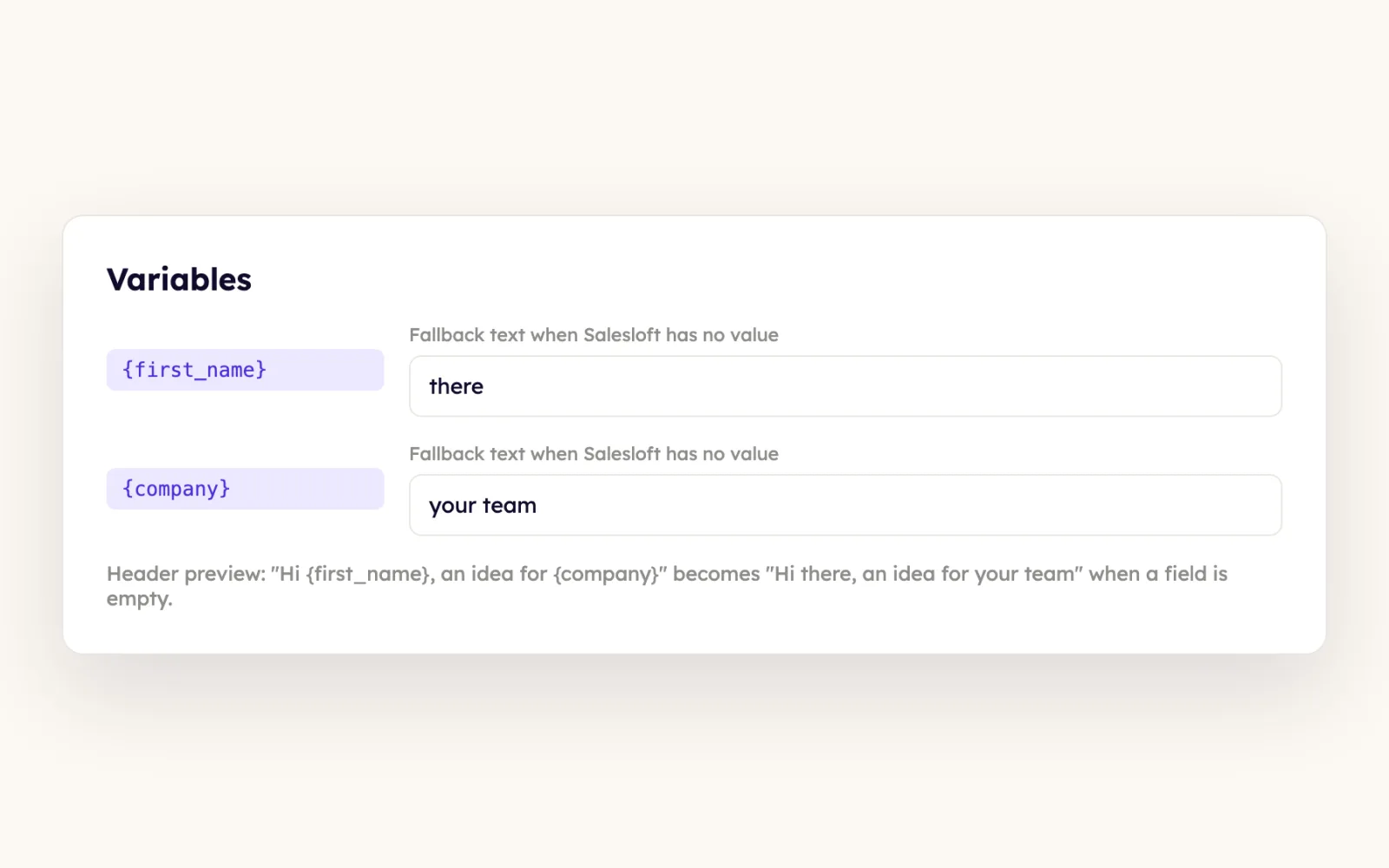
Set fallback text for every variable
Click any variable to edit its fallback, so contacts whose details Sendspark can't retrieve still get a clean video.
- 3
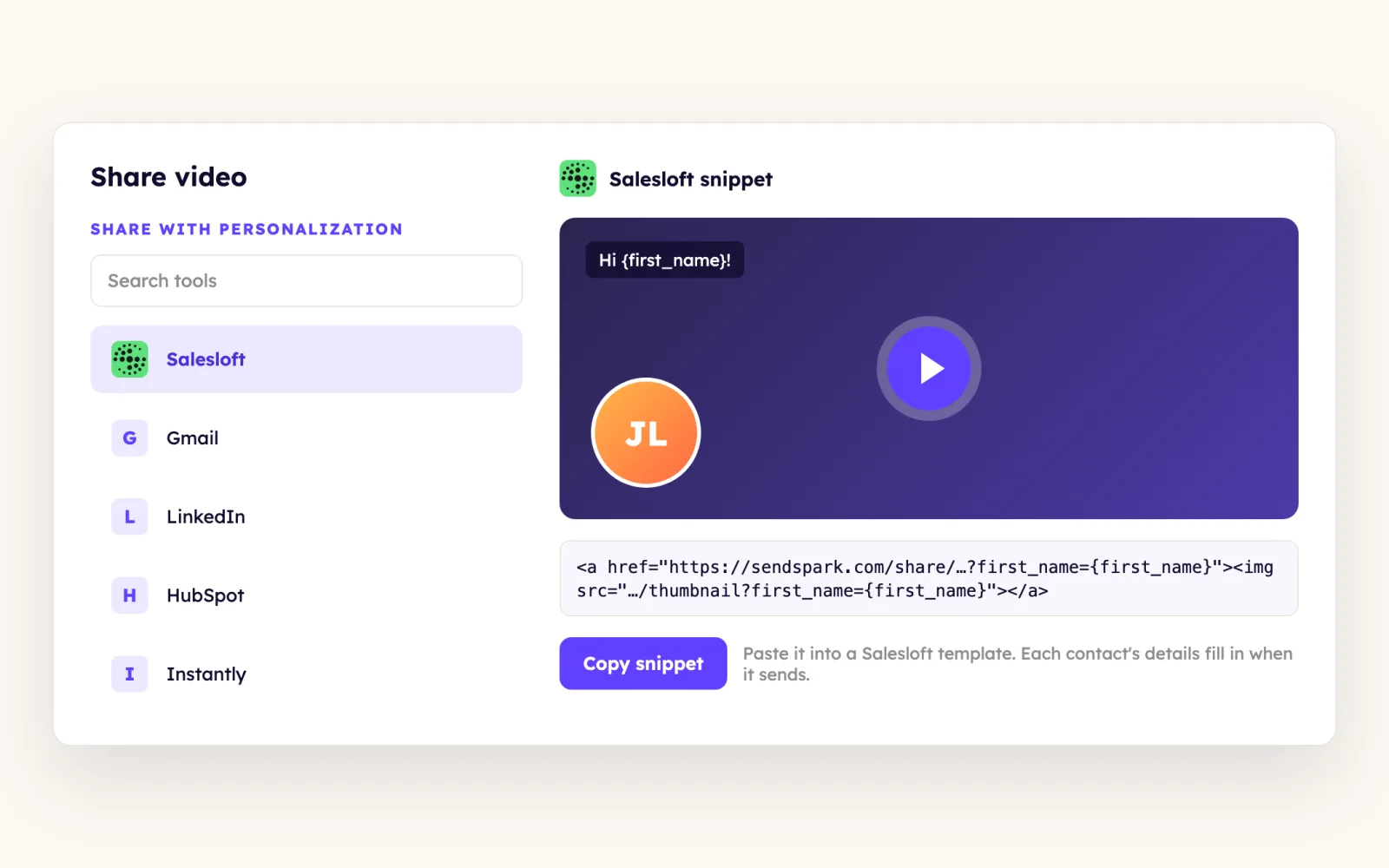
Copy the Salesloft snippet
Click Share Video and pick the Salesloft option. If it's missing, click edit/add on the share modal and select Salesloft. For a dynamic video campaign, click Share Campaign and select Salesloft instead.
- 4
Paste it into a Salesloft email template
Paste the snippet into an email template in Salesloft and save. When you use that email in a cadence or a direct email, the video updates for each contact automatically.
- 5
Preview against George before you send
Salesloft's default preview contact is George (g.p.burdell@example.net). Generate a Sendspark video for that address and the template preview shows a real personalized video.
What teams do with Sendspark and Salesloft
One recording greets every contact in the cadence by name
Record once and say "watermelon" wherever the contact's first name goes, then turn on Voice cloning. Import your contacts, generate the videos, click Share Campaign, select Salesloft and paste the snippet into your cadence email template.
Read the guideContacts book on your Salesloft calendar without leaving the video
In the Customize panel beside your video, turn Calendar on, choose Salesloft as the provider and paste your Salesloft calendar link. Sendspark builds the embed, and saving it in a template adds it to future videos.
Read the guideWhat Salesloft data personalizes each video
- Dynamic variables in the video landing page (header, message) and in the email thumbnail, replaced with Salesloft contact properties at send time.
- Fallback text on every variable for contacts with missing details.
- Dynamic video campaigns personalize each contact's name (spoken with voice cloning, recorded as "watermelon") and website.
- The same snippet works in cadence steps and in direct emails sent from the template.
- The calendar embed takes your Salesloft calendar link, not an embed code.
Where you see who watched from Salesloft
Views, watch time and CTA clicks are tracked in Sendspark video analytics and Team Insights.
Explore Video AnalyticsSendspark and Salesloft: frequently asked questions
Does Sendspark integrate with Salesloft?
Yes. You paste a Sendspark video snippet into Salesloft email templates for cadences and direct emails, and you can embed your Salesloft calendar on the Sendspark video page.
How do I personalize one video for a whole Salesloft cadence?
Add dynamic variables to the landing page and thumbnail, or build a dynamic video campaign with voice cloning. Then paste the Salesloft snippet into the cadence's email template, and each contact gets their own version.
How can I preview the personalized video inside Salesloft?
Salesloft previews templates with its default contact George (g.p.burdell@example.net). Create a Sendspark video for that email and the preview will show it.
I don't see Salesloft on the Sendspark share modal. What do I do?
Click edit/add on the share modal and select Salesloft. It'll stay in your share shortcuts after that.
Updated
 OutreachInstant integration, share snippet, Agentic Workflows connection and calendar embedExplore Outreach
 ApolloShare snippet and Agentic Workflows connectionExplore Apollo
 HubSpotInstant integration, HubSpot app (workflow actions and CRM tracking), share snippet, Agentic Workflows connection and calendar embedExplore HubSpot
Make your next outreach personal.
Record one video and let Sendspark do the rest.